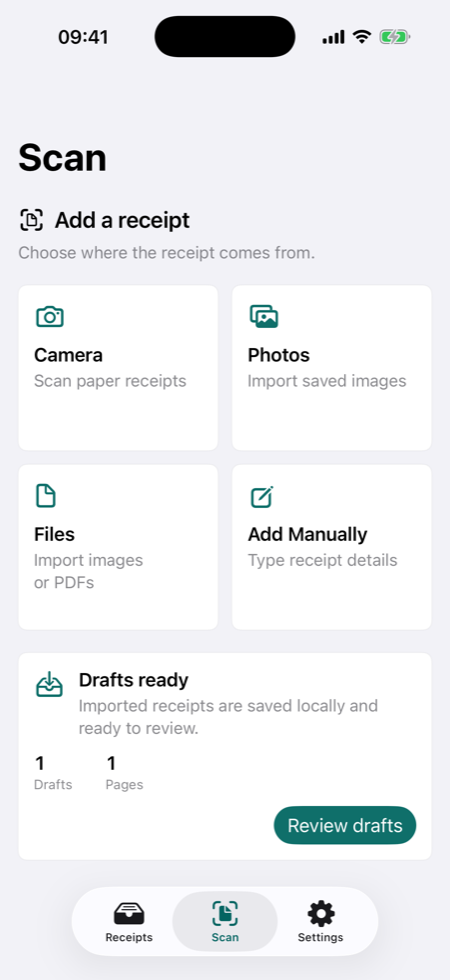
01 Capture and verify
Start with a saved receipt draft, then review the fields.
Camera, Photos, Files/PDF, and manual entry all lead into a review-first workflow instead of a silent save.
 TillShot
Scan or import receipts, verify every important field against the image, search your expense archive, export clean files, and keep backups without an account, bank link, or cloud receipt AI.
TillShot is built around the receipt work people actually come back to: scanning, checking, organizing, exporting, and recovering records without turning private receipts into another cloud account.
Capture paper receipts, import saved images, open PDFs, or type details manually. Drafts are saved before recognition work begins.
Private organizerKeep receipt images, fields, OCR text, folders, and notes on device unless you choose to export or share a file.
Freelance expensesSearch by merchant, notes, folders, categories, and saved receipt text when tax season or a client reimbursement request arrives.
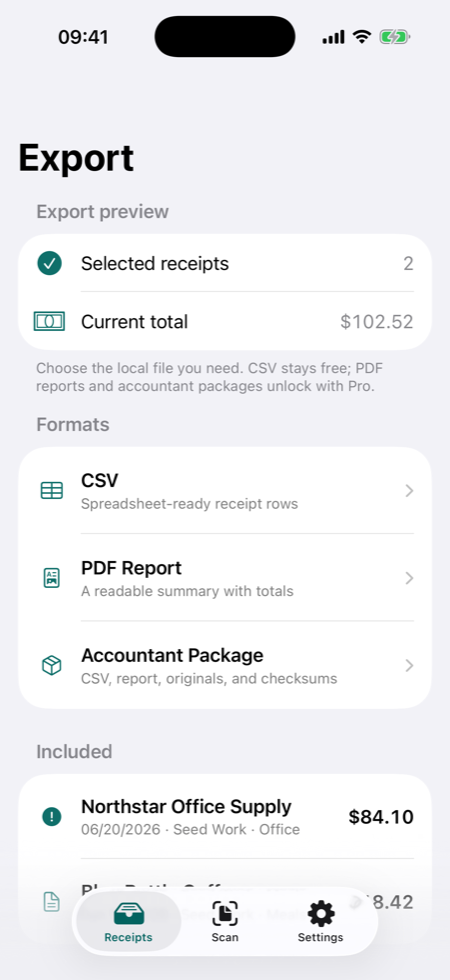
Accountant exportExport spreadsheet-safe CSV files, Pro PDF reports, and Accountant Packages with original receipt images and integrity checks.
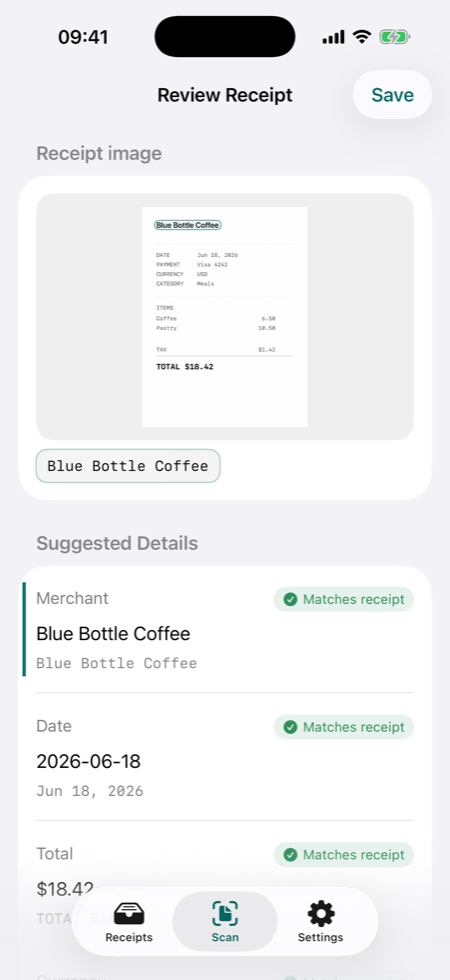
TillShot uses a review-before-save flow. Suggested fields can point back to the receipt image, and uncertain values stay reviewable instead of pretending to be final.
Use camera scanning, Photos, Files/PDF import, or manual entry for receipts that do not scan cleanly.
When on-device recognition is installed, TillShot opens a Review screen before saving the receipt.
Keep records useful for accountant handoff, reimbursement, warranty proof, or personal expense review.
Evidence badges show which fields match the receipt image.
Manual fallback stays available when recognition is not installed.
Exports are created locally, then shared only where you choose.
These are current TillShot app captures prepared as website screenshots, not Store poster compositions.
Camera, Photos, Files/PDF, and manual entry all lead into a review-first workflow instead of a silent save.
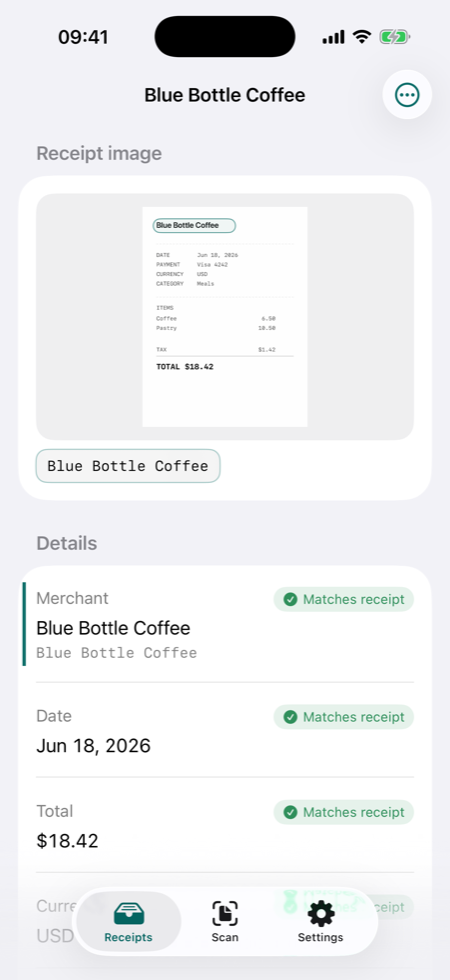
Evidence rows show where a saved value came from, so review feels grounded instead of mysterious.
CSV stays free; Pro adds PDF reports and Accountant Packages.
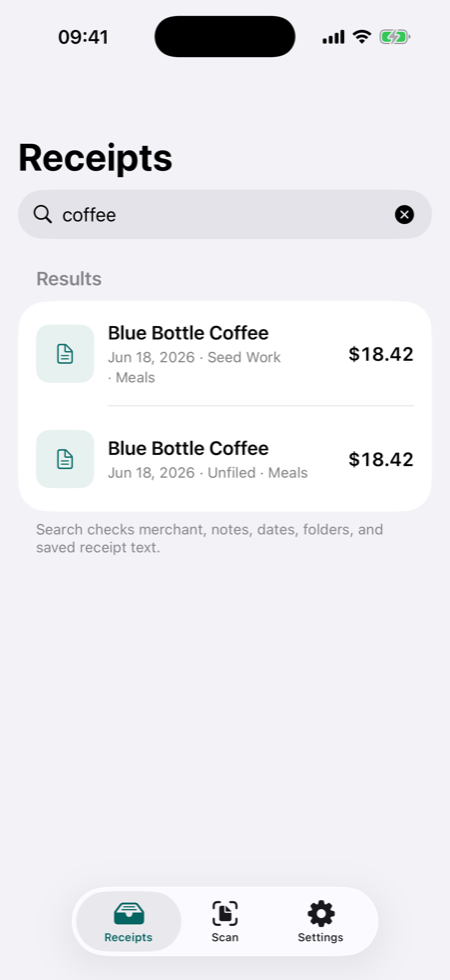
Search merchant names, notes, folders, categories, and saved text.
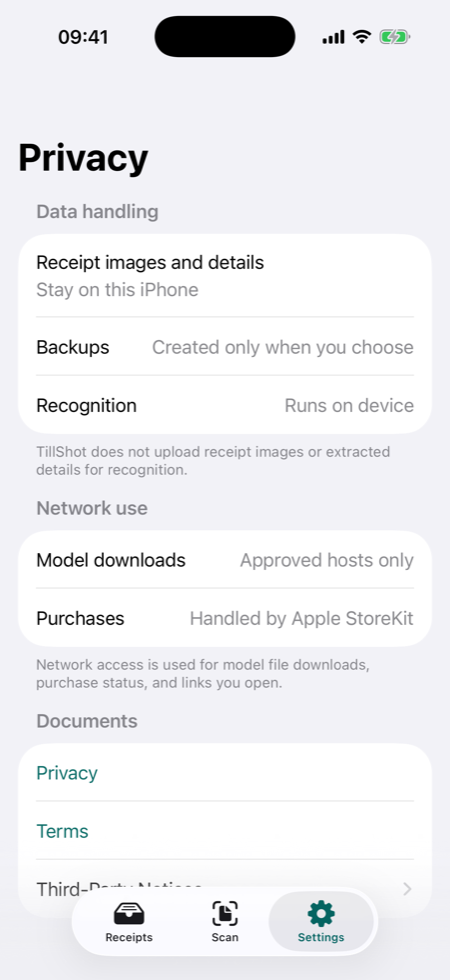
No account, no bank link, no app analytics SDKs, and no receipt-content backend.
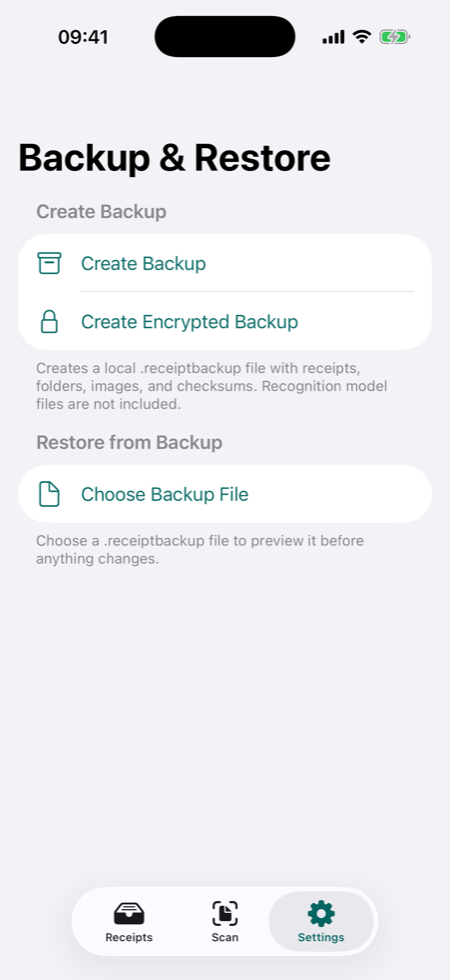
Preview restores, merge missing records, or choose a protected backup.
Keep client, project, travel, supply, and 1099-related receipts searchable without connecting a bank account.
Turn scattered paper and PDF receipts into organized records for review, reimbursement, and accountant handoff.
Save warranty proof, repairs, subscriptions, health-related purchases, and other records without a receipt cloud.
TillShot is designed around local storage, user-initiated recognition setup, and user-controlled exports. Network use is limited to model downloads you start, Apple StoreKit purchase flows, and links or support email you choose to use.
No TillShot account required
No bank connection
No app analytics or advertising SDKs
No app backend for receipt content
CSV export and local receipt access stay available. Pro unlocks unlimited automatic recognition, PDF reports, and Accountant Package exports.
Local receipt basics
Recognition and Pro exports
Both, but the core is a private receipt archive. TillShot scans and imports receipts, then helps organize, search, export, and back up the records locally.
No. TillShot helps organize records for review. It does not decide whether an expense is deductible, reimbursable, compliant, or reportable.
After the optional recognition package is downloaded and verified, recognition can work offline on supported devices. The download itself uses network access.